Shop by brand

Pelican Wireless

Shop Pelican Wireless products from Cold Air Central. Browse the catalog below, or contact our team for help sourcing the right model for your equipment.

Shop Pelican Wireless

Skip to results
Search & filters
Category
Category
Manufacturer
Manufacturer
Product type
Product type
Building system
Building system
Supply voltage
Supply voltage
Heating and cooling stages
Communication protocols
More filters
Application
Application
Product status
Product status
Power sources
Power sources
Scheduling
Scheduling
Mounting
Mounting
Clear filters

Specifications reflect documented values. Confirm equipment requirements before selecting a replacement.

15 products found

Compare up to 4 products

Pelican Wireless GW400-LTE

Pelican Wireless

Pelican Wireless GW400-LTE Cellular Gateway

Model GW400-LTE SKU 190130

4G LTE gateway connecting Pelican mesh devices through Pelican AnyWhere cellular service.

Supply voltage
5 V DC input; adapter plugs into a 120 V AC outlet
Communication protocols
Pelican mesh for local devices; cellular Internet uplink
Power sources
Supplied wall power adapter
Pelican Wireless PM5-120/240

Pelican Wireless

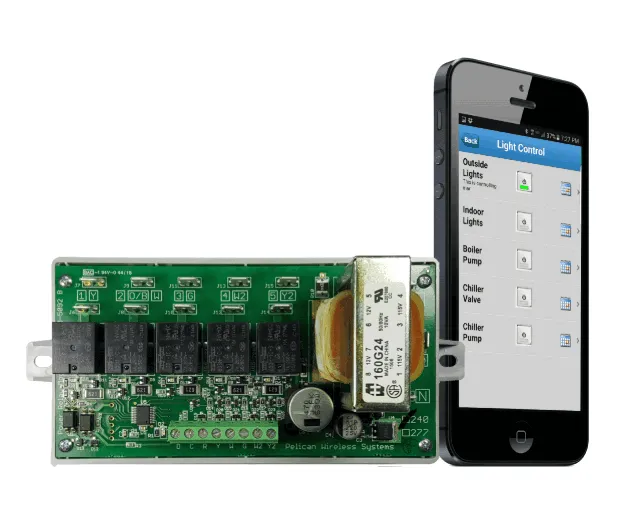
Pelican Wireless PM5-120/240 Power Control Module

Model PM5-120/240 SKU 190119

Five-relay Pelican power control module for scheduled or demand-linked switching of suitable electrical loads.

Supply voltage
120 V AC or 208–240 V AC per installation guide; correct input terminals required
Communication protocols
Pelican mesh through separate low-voltage antenna module
Power sources
Line-voltage AC
Pelican Wireless RT1-DC

Pelican Wireless

Pelican Wireless RT1-DC Battery-Powered Remote Thermostat

Model RT1-DC SKU 190110

Battery-powered Pelican remote temperature sensor and adjustment interface for a compatible thermostat or TCM1 controller.

Measured variables
Temperature
Communication protocols
Pelican wireless mesh; this battery model does not repeat wireless signals
Mounting
Interior wall or electrical box, horizontal orientation
Pelican Wireless TA1

Pelican Wireless

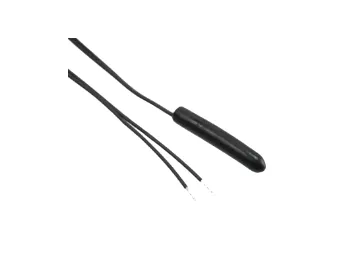
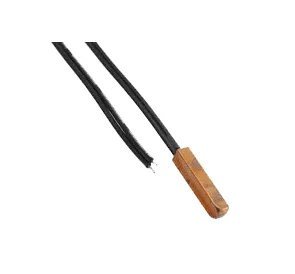
Pelican Wireless TA1 Temperature and Alarm Sensor

Model TA1 SKU 190104

Wired sensor accessory for temperature monitoring, averaging, or a dry-contact input on a compatible Pelican device.

Communication protocols
Pelican three-wire R/C/D connection
Mounting
Flat surface in a moisture-free location; device is not waterproof
Power sources
Hardwired AC
Pelican Wireless TC1

Pelican Wireless

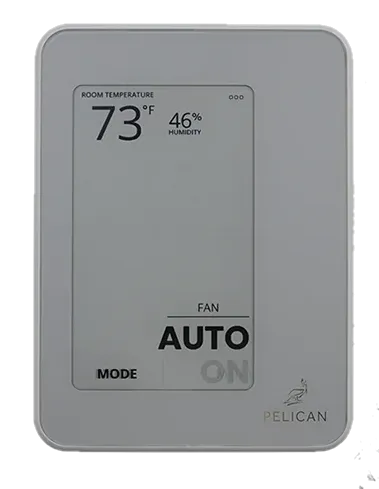
Pelican Wireless TC1 Commercial Thermostat

Model TC1 SKU 190132

Connected commercial thermostat with temperature sensing for Pelican building controls. Requires a Pelican Gateway.

Supply voltage
24 V AC nominal, 60 Hz; operating range 23–30 V AC
Communication protocols
Pelican mesh network; not Wi-Fi
Power sources
Hardwired AC
Pelican Wireless WR400

Pelican Wireless

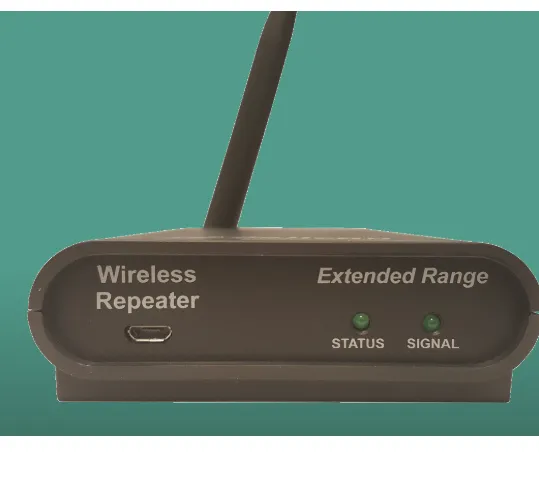
Pelican Wireless WR400 Wireless Repeater

Model WR400 SKU 190105

Plug-in repeater that extends an existing 2.4 GHz Pelican mesh network between devices or buildings.

Supply voltage
5 V DC at repeater; supplied 115 V AC adapter
Communication protocols
Pelican mesh; no Ethernet connection required
Power sources
Supplied AC power adapter
Pelican Wireless Z8

Pelican Wireless

Pelican Wireless Z8 Zone Coordinator

Model Z8 SKU 190115

Central HVAC zone coordinator for up to eight Pelican zone-thermostat demands, with equipment outputs and duct static-pressure control.

Supply voltage
24 V AC nominal, 60 Hz; operating range 23–30 V AC
Heating and cooling stages
Up to three heating and three cooling stages; sequence and equipment configuration must be verified
Communication protocols
Pelican mesh network; not Wi-Fi

Brand information & resources

About Pelican Wireless

Pelican Wireless develops commercial climate-management hardware and connected controls. Its product range includes thermostats, gateways, zone coordinators, sensing accessories, and equipment-control modules. Plan these components around the building's equipment and control architecture rather than treating every device as a standalone thermostat.

Manufacturer at a glance

Attribute Details
Manufacturer Pelican Wireless Systems
Focus Commercial climate management and connected building controls
Component families Thermostats, gateways, zone coordinators, sensors, repeaters, and equipment/power controllers
Selection starting point Equipment application, existing Pelican models, network arrangement, and required control sequence
Official website Pelican Wireless Systems
Selection & system guidance

Understand each component's role

Component What to establish before selection
Thermostat Which equipment or zone it controls, and the sensing and wiring requirements of the exact model
Gateway How the site's device network reaches online management and which network connection is available
Zone coordinator How the central HVAC unit and individual zones work together; use the applicable sequence and installation documents
Sensor or interface What it measures or connects, and which controller accepts it
Repeater Whether the existing wireless network needs a supported extension device
Equipment or power controller The specific control task, connected load, and required inputs and outputs

Explore our Pelican building-system overview for the project context behind these components. Use exact-model documents to establish dependencies and compatibility.

Plan the gateway and network

Pelican's gateway range includes Ethernet and cellular options. The gateway's internet connection and the Pelican device network serve different roles, so document both when planning a site.

For GW400-LTE projects, review Pelican's cellular service requirements and terms before selecting the connection method. Do not assume that a gateway, service plan, or accessory is included with another component. The official gateway overview provides model-specific resources and connection information.

Prepare a building-controls project

Record the thermostat and controller models at each unit, the gateway model, existing sensors, and the equipment being controlled. Include the intended operating sequence and whether the work is a replacement, an expansion, or a new installation.

For zoned equipment, identify the central controller and individual zone controls together. Check document revisions before applying capacity or electrical ratings to existing hardware. Our wireless controls inventory guide provides a starting checklist.
Manuals & support

Manuals and technical resources

Project and technical support

Use the Support navigation on Pelican's official website for manufacturer help. For product sourcing and project preparation, request a project review with the equipment, component, and site details.

Manufacturer resources reviewed September 16, 2026.