Guide

Choosing a Commercial Thermostat

A practical process for documenting a commercial controls project before evaluating thermostat and system options.

Updated

Choosing a commercial thermostat is a system-design question. Begin with evidence from the existing installation and a clear description of what the completed controls need to accomplish.

1. Identify the controlled equipment

Record the full model and serial information for each unit. Note control voltage, heating and cooling stages, fan behavior, and any economizer or ventilation interface shown in the equipment documentation.

2. Map the existing controls

List thermostats, sensors, zone panels, equipment controllers, gateways, repeaters, and other connected devices. Photograph model labels and wiring before any changes are made.

3. Define the operating goal

Describe schedules, occupancy needs, remote access, alarms, setbacks, staging, and any coordination between zones. Separate required behavior from optional conveniences.

4. Review the complete design

Compare the collected information with current manufacturer documentation. For connected building controls, verify every required system role rather than assuming a thermostat can operate by itself.

Browse the commercial product catalog alongside the manufacturer documentation for your equipment. Send project details to sales@coldaircentral.com for assistance with the review process. Guidance on this site is not a compatibility determination, engineering approval, or substitute for work by qualified personnel.
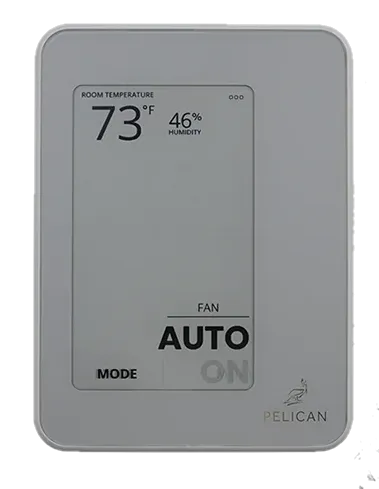
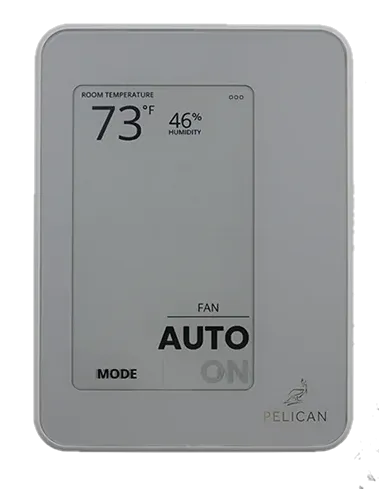
Pelican Wireless TC1

Pelican Wireless

Pelican Wireless TC1 Commercial Thermostat

Model TC1 SKU 190132

Connected commercial thermostat with temperature sensing for Pelican building controls. Requires a Pelican Gateway.

Supply voltage
24 V AC nominal, 60 Hz; operating range 23–30 V AC
Communication protocols
Pelican mesh network; not Wi-Fi
Power sources
Hardwired AC

Loading price…

View details
Pelican Wireless TC3

Pelican Wireless

Pelican Wireless TC3 Commercial Thermostat with CO₂

Model TC3 SKU 190134

Connected commercial thermostat with temperature and CO₂ sensing for Pelican building controls. Requires a Pelican Gateway.

Supply voltage
24 V AC nominal, 60 Hz; operating range 23–30 V AC
Communication protocols
Pelican mesh network; not Wi-Fi
Power sources
Hardwired AC

Loading price…

View details
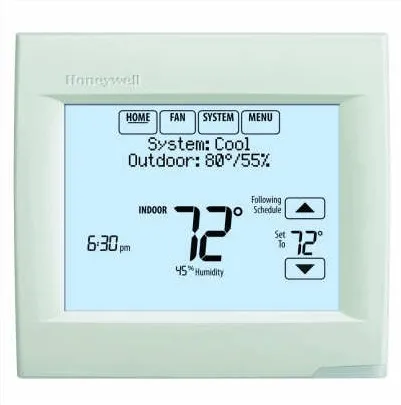
VisionPRO 8000 TH8321WF1001 Wi-Fi Thermostat

Honeywell Home

VisionPRO 8000 TH8321WF1001 Wi-Fi Thermostat

Model TH8321WF1001 SKU 365404

Wi-Fi touchscreen thermostat for up to 3H/2C heat pumps or 2H/2C conventional equipment.

Heating and cooling stages
Heat pump: 3 heat / 2 cool; Conventional: 2 heat / 2 cool
Communication protocols
Wi-Fi
Power sources
24 Vac hardwired; common connection required

Loading price…

View details
PRO1 T755

PRO1

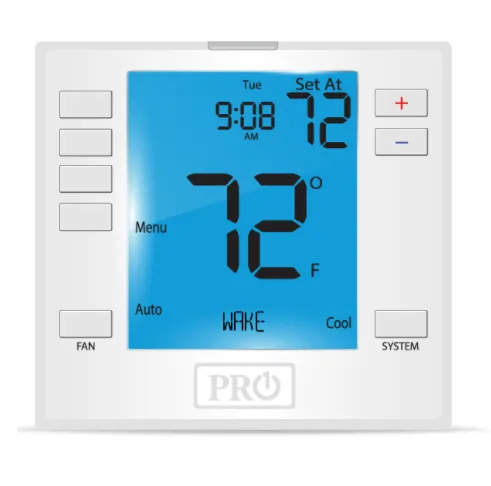
PRO1 T755 Programmable Universal Thermostat

Model T755 SKU 105420

The T755 provides scheduling for conventional systems with up to two heating and two cooling stages, or heat pumps with up to three heating and two cooling stages.

Heating and cooling stages
Up to 2 heat / 2 cool conventional; 3 heat / 2 cool heat pump
Power sources
2 AA alkaline batteries or 18–30 VAC, NEC Class II, 50/60 Hz

Loading price…

View details
Pelican Wireless GW400-LTE

Pelican Wireless

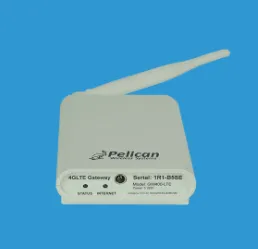
Pelican Wireless GW400-LTE Cellular Gateway

Model GW400-LTE SKU 190130

4G LTE gateway connecting Pelican mesh devices through Pelican AnyWhere cellular service.

Supply voltage
5 V DC input; adapter plugs into a 120 V AC outlet
Communication protocols
Pelican mesh for local devices; cellular Internet uplink
Power sources
Supplied wall power adapter

Loading price…

View details
Pelican Wireless PEARL

Pelican Wireless

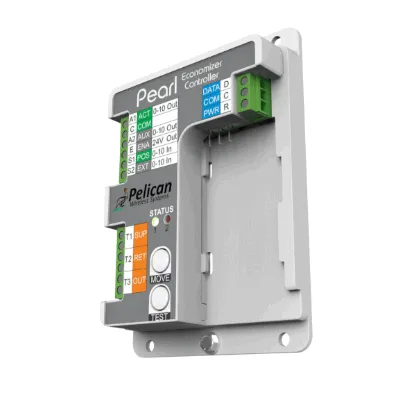
Pelican Wireless PEARL Advanced Equipment Controller

Model PEARL SKU 190108

Pelican thermostat accessory for economizer, ventilation, variable-speed fan and modulating equipment control.

Supply voltage
24 V AC, 60 Hz
Communication protocols
Three-wire connection to a Pelican thermostat
Power sources
Hardwired AC

Loading price…

View details